Document scanner for iPhone and iPad
Paper, in its place.
Scan, sign, search and send. No ads, no account, no page limits. Your files stay yours: real PDFs, in your own folders.
- No ads
- No account
- On-device text recognition
- Scanning is free
What makes it different
A scanner that respects you.
Most of what gets in the way of scanning a page is a business decision. Flatbed makes different ones.
No ads. Ever.
Not in the free version, not once. Nothing sells you something while you work.
No account
Open it and scan. There's nothing to sign up for and nobody to log in to.
Real files
Every document also appears as a PDF in the Files app, in your own folders. You never need Flatbed to open your own documents.
Hidden means hidden
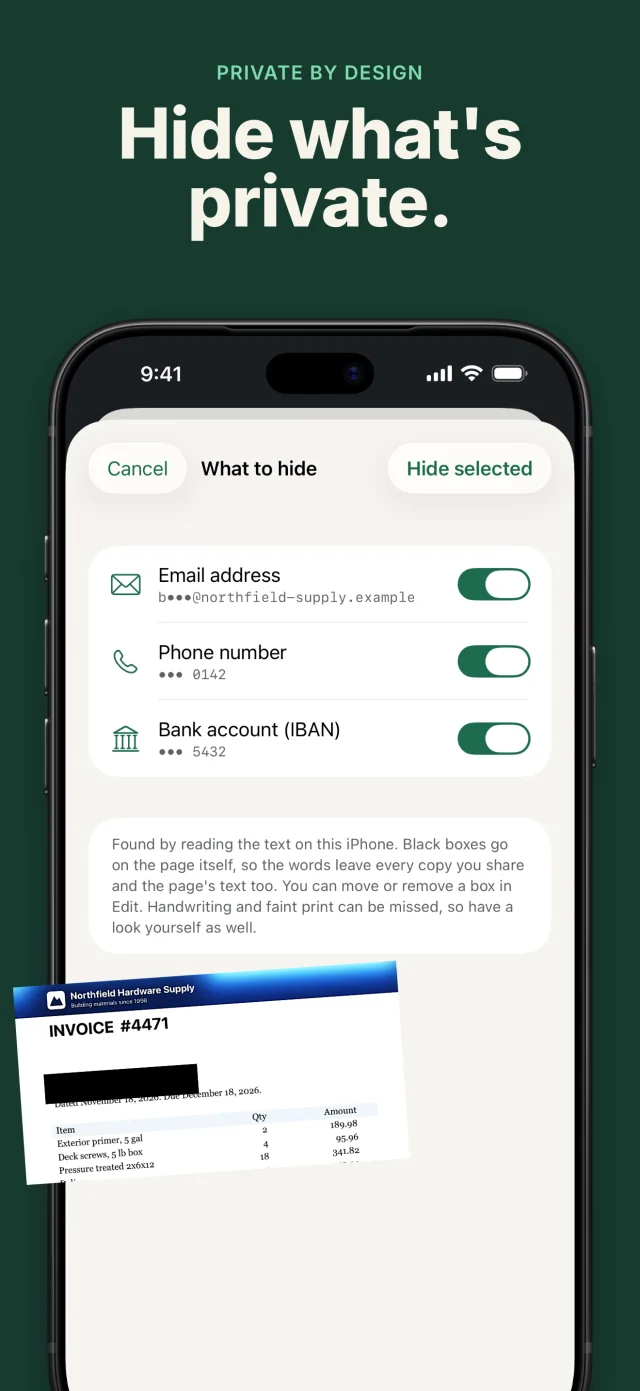
Redaction removes the words from search, copied text and every export. They're gone, not painted over.
On your device
Text is recognised on your iPhone or iPad. Flatbed has no servers and does not track you.
Nothing lost by accident
Deleted documents wait 30 days. Unfinished scans are kept if the app closes. Nothing is removed without asking.
See it work
Everything you do with a piece of paper.
These are real screens from the app, not mock-ups.
Scan
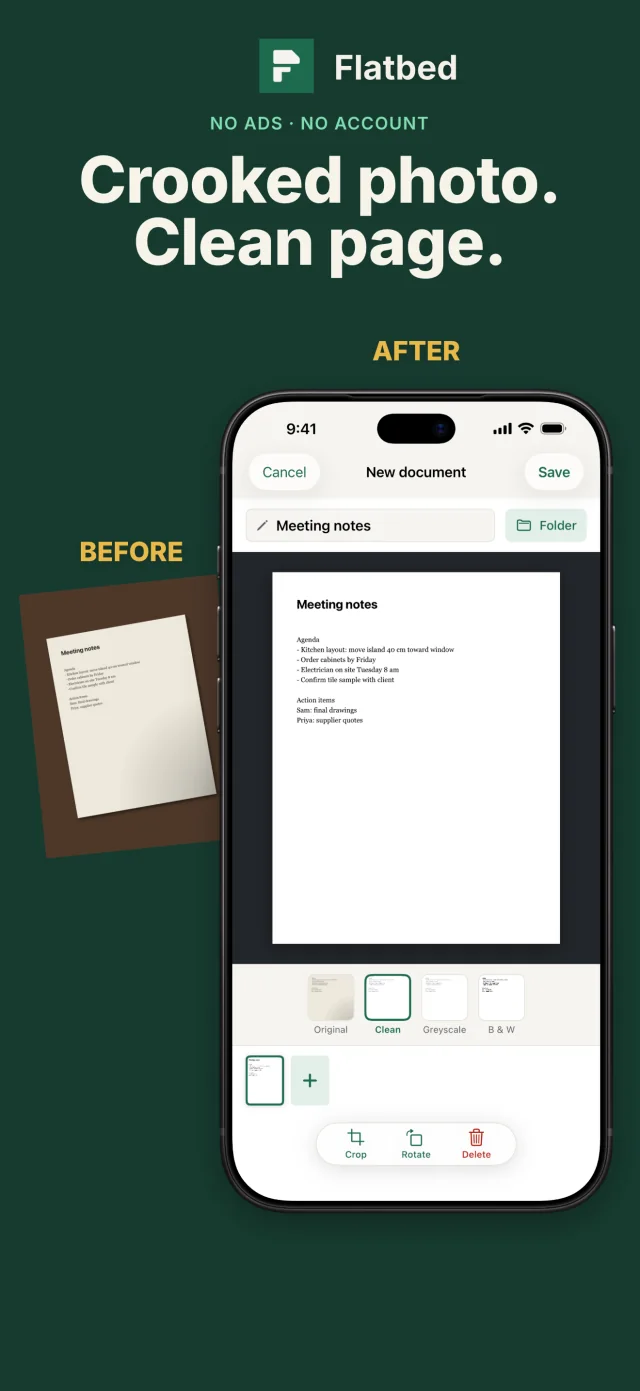
Edges found. Page cleaned.
The document camera finds the page and captures when it is steady. Bring in photos, PDFs and files too, even password-protected ones. Then choose Clean, Original, Greyscale or Black & White, and crop or rotate every page.
- ID card mode puts both sides on one tidy page
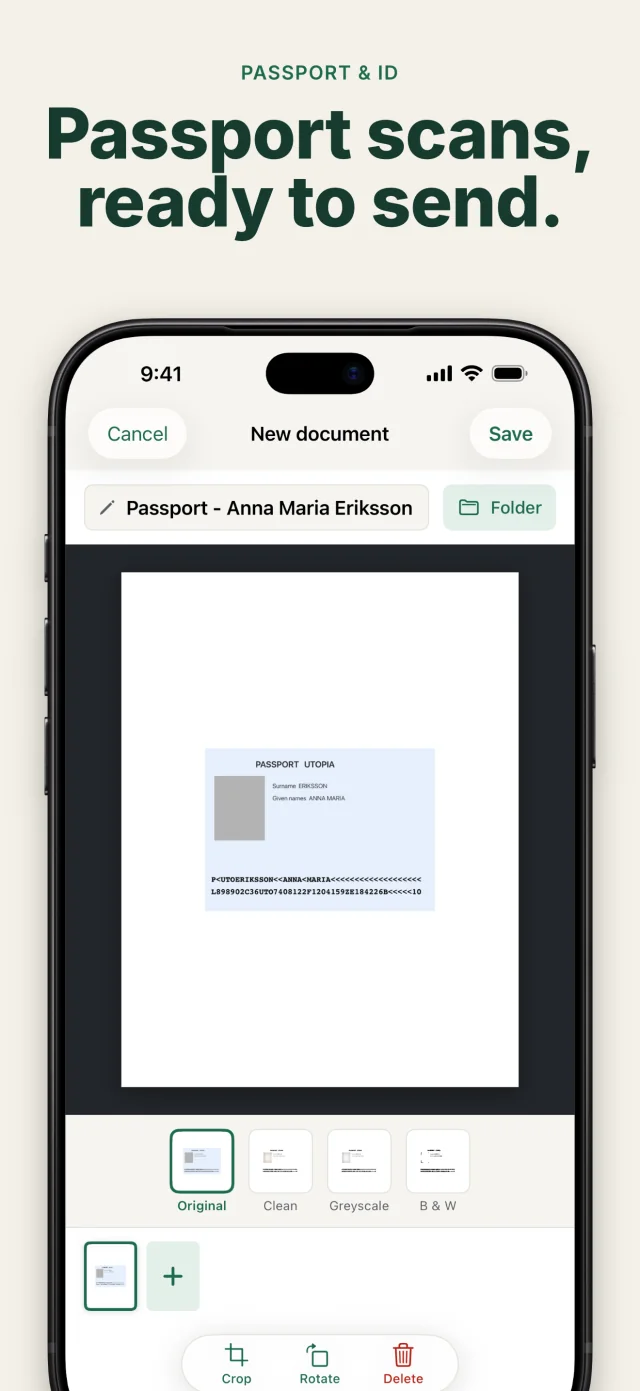
- Passport mode straightens the photo page, keeps its true colours and names the file from its own lines
- Read a QR code and open the link
Search
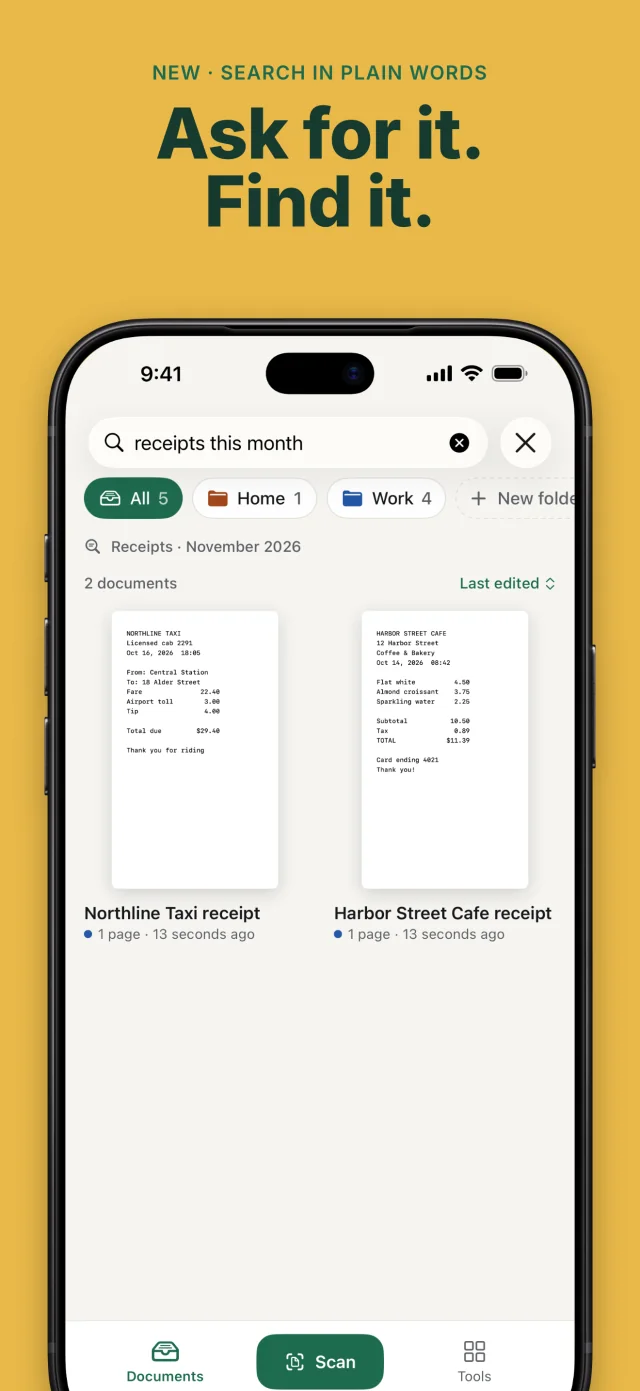
Search what is written.
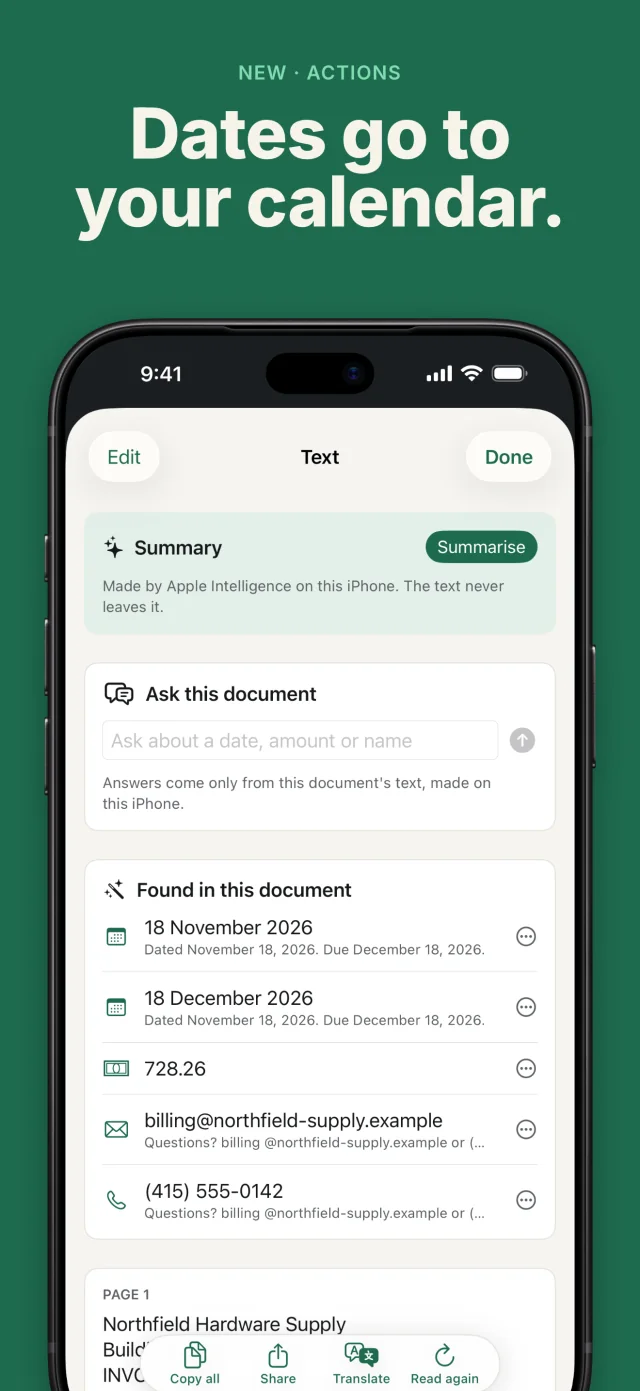
Every page is read on your device, so you can find a word inside any scan, not just a file name. Copy the text, correct it, or translate it with Apple.
- Matching words are quoted right in the results
- Searching never looks inside a locked Safe
- Nothing is uploaded to read your pages
Sign and mark up
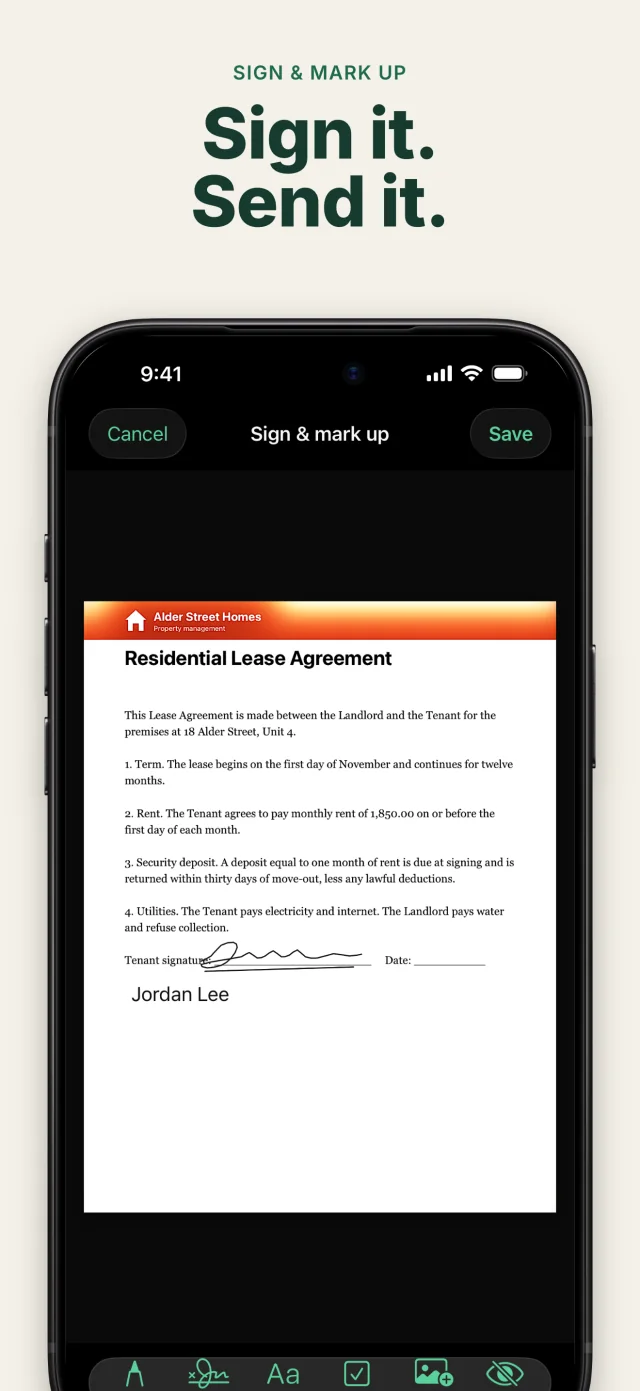
Sign it. Hide it for real.
Draw your signature once, place it on any page, and use it again. Add text, ticks, today's date, images and pencil drawing. When something has to stay private, redact it. Flatbed removes the words from the document, so they can't be found again.
- Signatures are saved on your device for next time
- Redacted words are gone from search, the Text screen and every export
Yours to keep
Your files. Your folders.
Every scan is also a PDF in the Files app, sorted into the folders you chose. Take one backup file to a new phone and everything comes with it. Turn on iCloud sync between your iPhone and iPad if you like; it stays off until you do.
- One-file backup and restore. Restoring never overwrites
- Safes: folders that open with Face ID, and lock again with one tap
- Print, AirDrop, Mail, Messages and Save to Photos all work
And the rest
Small things, done properly.
How it works
Three steps, then you're done.
Scan or import
Hold your phone over the page, or bring in a photo, PDF or file.
Tidy it up
Pick a filter, crop, sign, redact. Text recognition runs quietly on your device.
Send it, or keep it
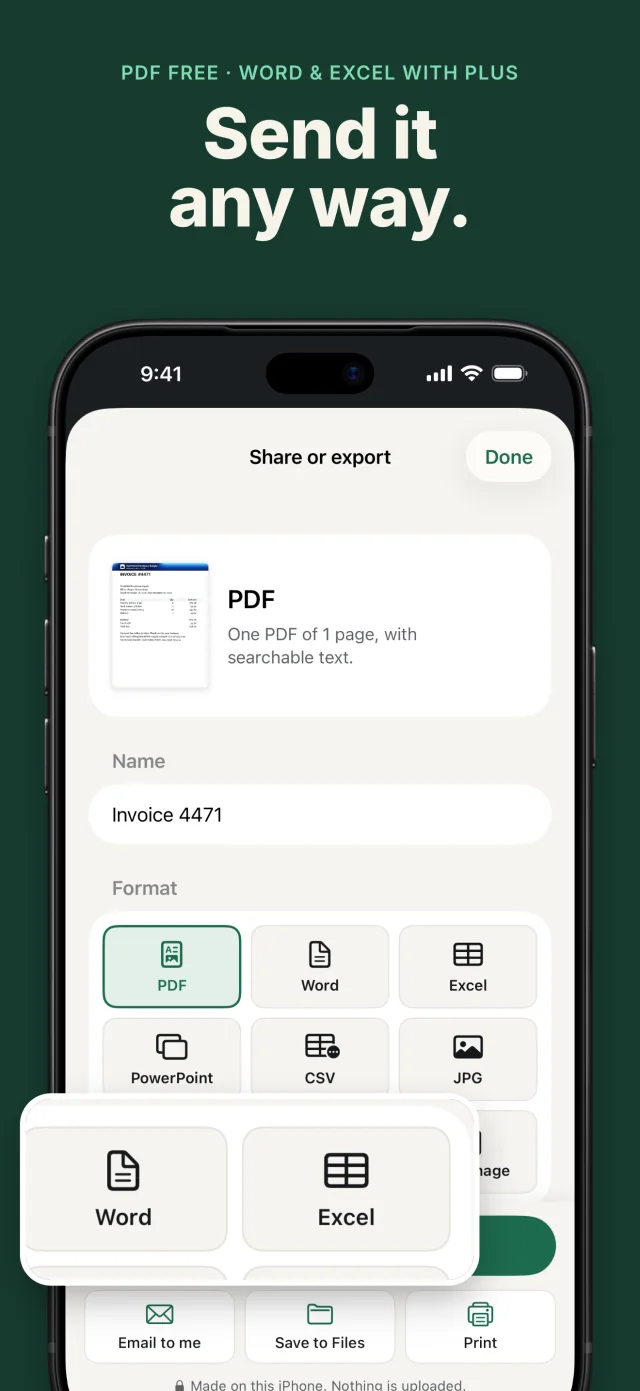
Share a searchable PDF or any other format, or just leave it in your Files folders.
A short list of things we left out
What Flatbed won't do.
Show you adsAsk you to sign upStop you mid-scan with a paywallLimit your pagesSurprise you with a subscriptionTrack you or upload your documents
Pricing, in plain words
Free is not a trial.
Flatbed does the whole job for free. Flatbed Plus is optional, for people who scan a lot. Pay once, or pay yearly if you prefer. It never takes away anything that is free.
Free, with no page limit
Everything you need to scan, sign, search and send.
- Scan, import, filters, crop, ID card and passport modes, QR codes
- Search inside every scan, copy, correct and translate text
- Sign, mark up and redact for real
- Folders, favourites and Safes with Face ID
- Searchable PDF, JPG, PNG and text, password-protected PDFs
- Backup and restore, and optional iCloud sync
Optional. Pay once, or yearly.
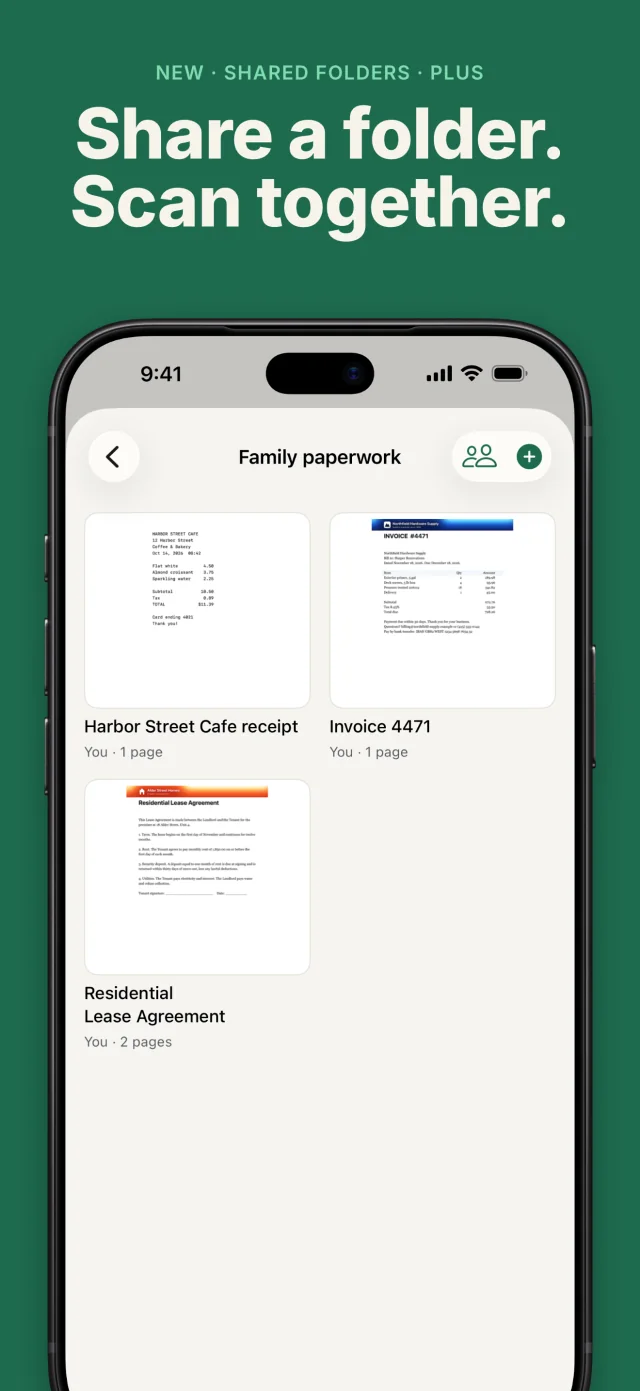
More tools for people who scan a lot. Family Sharing included.
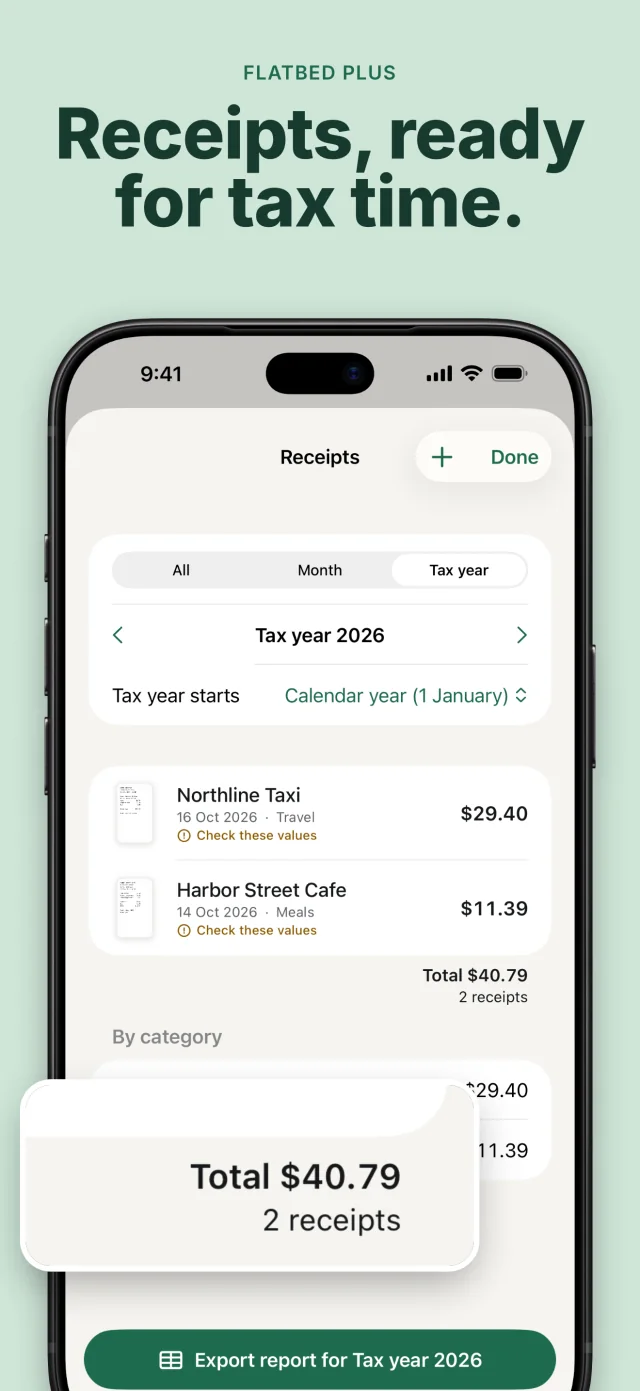
- Export to Word, Excel, PowerPoint and CSV
- Receipts: merchant, date and total read for you, ready as an expense report
- Automatic copies to iCloud Drive, Dropbox or another service in Files, checked after every copy
- Name templates, a stamp library, watermarks, page numbers and PDF/A
- Ask your document, answered on your device on iPhones with Apple Intelligence
Private by design
Your paper is nobody else's business.
Flatbed has no accounts, no servers, no ads and no analytics code. The App Store lists it as collecting no data, because it doesn't. Read the privacy policy; it's short.
- English
- Deutsch
- Español
- Français
- Italiano
- 日本語
- Português (Brasil)
- Text recognitionRuns on your device. Nothing is sent to read your pages.
- Face ID for Safes and the appOptional. Flatbed never sees your face data; Apple handles it.
- iCloud syncOptional and off until you turn it on. Uses your own private iCloud, which we can't see.
Questions
Good to know.
Where are my files?
On your device, and as PDFs in the Files app: Files › On My iPhone (or iPad) › Flatbed › Scans, sorted into your folders. You can also choose one extra folder, in iCloud Drive or Dropbox for example, for automatic copies with Plus.
How do I move to a new phone?
Make a backup in Settings and keep it in iCloud Drive or on a computer, then restore it on the new phone. Or turn on iCloud sync on both devices. Restoring only adds what's missing and never overwrites.
Do you read my documents?
No. Text recognition runs on your device, there is no account and no server, and nothing is uploaded unless you choose to share or copy a file somewhere yourself.
What does Flatbed Plus add?
Word, Excel, PowerPoint and CSV export, receipts and expense reports, automatic copies to a folder, name templates, a stamp library, watermarks, page numbers and PDF/A. It's optional: pay once or yearly, with Family Sharing included.
Which devices does it run on?
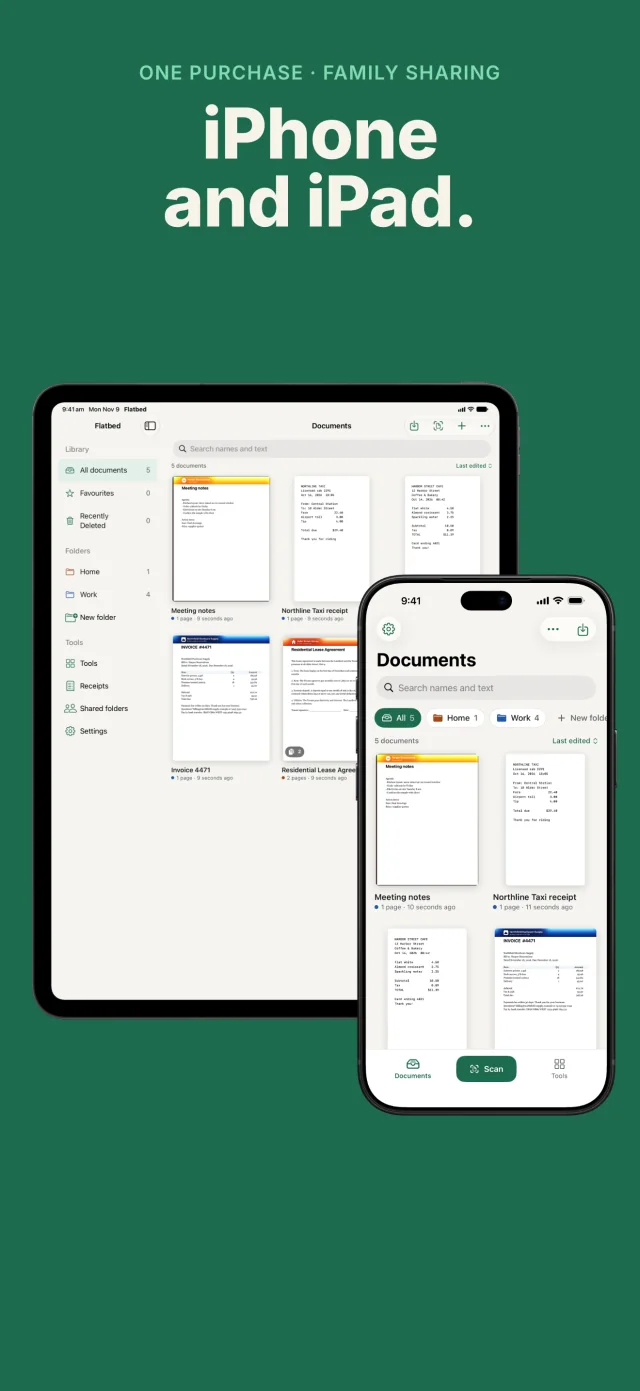
iPhone and iPad. It speaks English, Deutsch, Español, Français, Italiano, 日本語 and Português (Brasil).
Where can I get it?
On the App Store, for iPhone and iPad. Download Flatbed; it's free, and Flatbed Plus is optional.
Paper, in its place.
Flatbed is on the App Store for iPhone and iPad. Questions first? Write to a real person.
Download on the App Store